01
Button deck
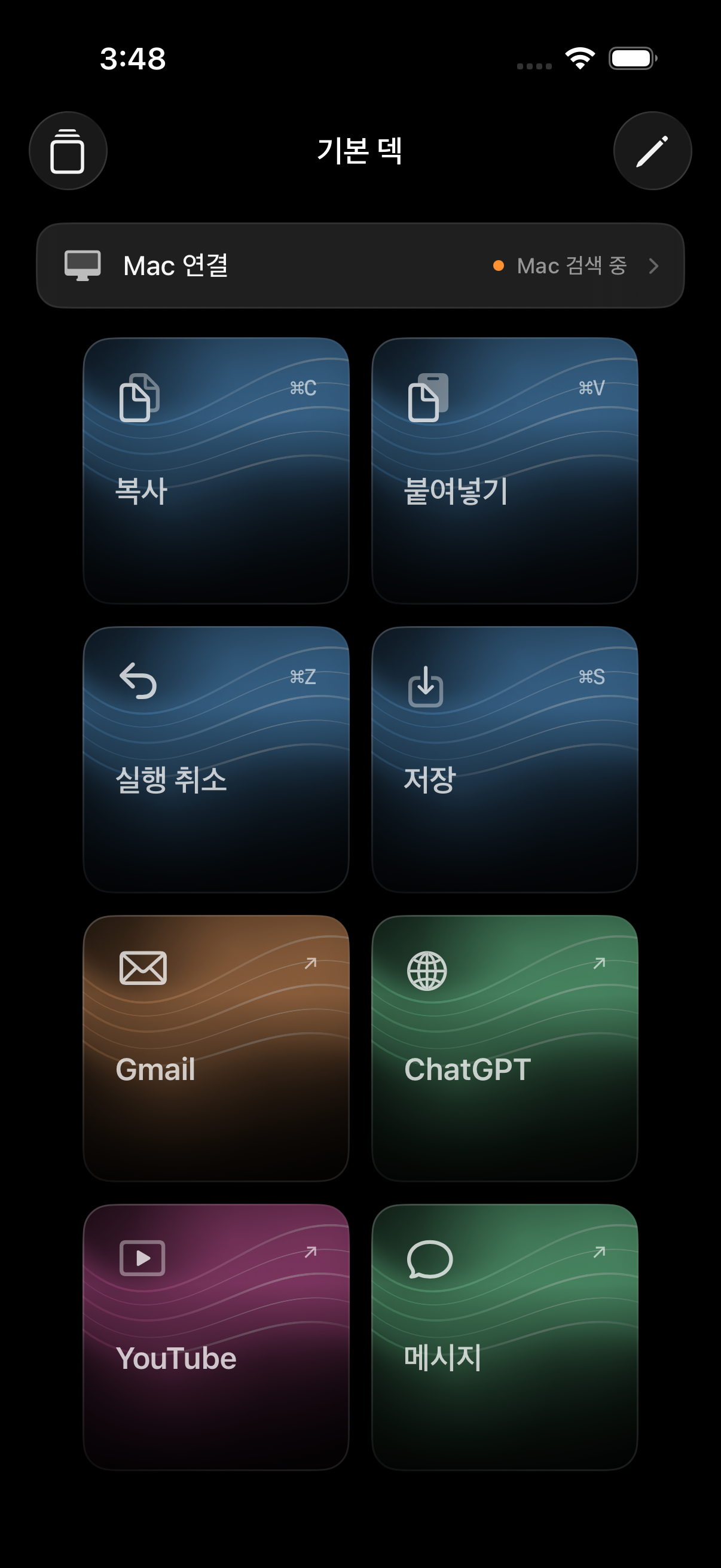
Frequent actions such as copy, paste and run are arranged as large two-column buttons. The top bar shows Mac connection status.
PRODUCTIVITY / DESKTOP CONTROL

Control a Mac on the same local network from an editable button deck on iPhone or iPad.
DeckBridge · iOS · In development
01 / SIMULATOR CAPTURE
Captured directly from the iPhone 17 Pro simulator. These are running screens from the local source build.
Frequent actions such as copy, paste and run are arranged as large two-column buttons. The top bar shows Mac connection status.
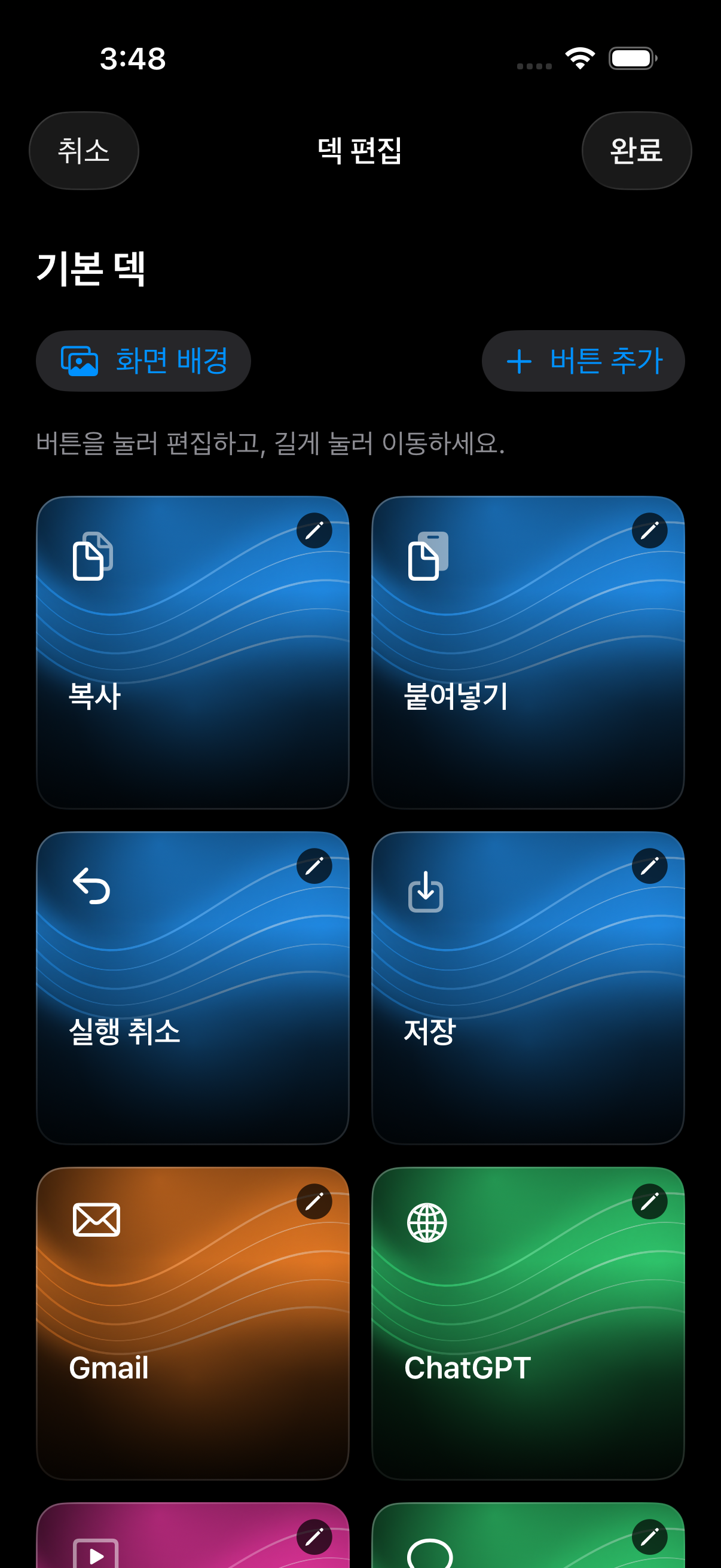
An editor for arranging the deck and its buttons. The visible button set is the current source build’s default deck.
The simulator shows the iPhone interface. Pairing and command execution through a Mac helper still need real-device verification.
The core button deck and Mac helper are implemented. Real Apple account linking, iPhone-to-Mac control, locked-device checks, signing and distribution still need verification.
A visual cooking timer tailored to pasta shapes and preferred texture.